Visualize differentially expressed genes
Usage
VizDEGs(
  markers,
  object = NULL,
  plot_type = c("volcano", "volcano_log2fc", "volcano_pct", "jitter", "jitter_log2fc",
    "jitter_pct", "heatmap_log2fc", "heatmap_pct", "dot_log2fc", "dot_pct", "heatmap",
    "violin", "box", "bar", "ridge", "dot"),
  each = NULL,
  facet_each = FALSE,
  p_adjust = TRUE,
  cutoff = NULL,
  order_by = "desc(abs(avg_log2FC))",
  select = ifelse(plot_type %in% c("volcano", "volcano_log2fc", "volcano_pct",
    "jitter", "jitter_log2fc", "jitter_pct", "heatmap_log2fc", "heatmap_pct"), 5, 10),
  outprefix = NULL,
  devpars = list(res = 100),
  more_formats = c(),
  save_code = FALSE,
  log = NULL,
  log_prefix = "",
  cache = NULL,
  ...
)
Arguments
- markers
A data frame of differential expression results, typically the output of
Seurat::FindMarkers()orSeurat::FindAllMarkers(). Must contain columns"gene"(or gene symbols as rownames),"p_val", and"avg_log2FC". For percentage-based plots (volcano_pct,jitter_pct,heatmap_pct,dot_pct), columns"pct.1"and"pct.2"are also required.- object
A Seurat object. Required for expression-based plot types:
"heatmap","violin","box","bar","ridge", and"dot". Not used for DE summary plot types. Default:NULL.- plot_type
The type of plot to generate. One of
"volcano","volcano_log2fc","volcano_pct","jitter","jitter_log2fc","jitter_pct","heatmap_log2fc","heatmap_pct","dot_log2fc","dot_pct","heatmap","violin","box","bar","ridge", or"dot". See Description for details on each type.- each
A column name in
markersindicating the grouping from which each marker was identified (e.g., theclustercolumn fromFindAllMarkers()). Required for jitter and DE heatmap/dot plot types, where it defines the x-axis or column groups. For volcano plot types, it splits the plot by group (or facets it, withfacet_each = TRUE). For expression plot types,eachis used to select the markers within each group; a plain column name does not split the plot — use the"marker_column:metadata_column"syntax (see Metadata column mapping) to also split the plot by the mapped metadata column. Alternatively, pass":metadata_column"with an empty marker part to split the expression plot by the metadata column directly, without selecting markers per group (markers are selected overall) and without merging metadata. Default:NULL.- facet_each
Logical. Only for volcano plot types: if
TRUE, facet the volcano plot by theeachgroups instead of splitting it into separate subplots. Ignored for other plot types. Default:FALSE.- p_adjust
Logical. If
TRUE(default), use adjusted p-value (p_val_adjcolumn) for significance calculations and y-axis transformations. IfFALSE, use raw p-value (p_valcolumn).- cutoff
Numeric. The p-value (or adjusted p-value, depending on
p_adjust) threshold for labeling significance. For volcano plots, setsy_cutoff. For DE heatmap plots (heatmap_log2fc,heatmap_pct), controls which cells receive significance marks. For expression plot types with a numericselect, only markers with a p-value belowcutoffare eligible for selection. Ignored by DE dot plots (dot_log2fc,dot_pct). Default:NULL(no cutoff; defaults to0.05for volcano plots).- order_by
A string of one or more comma-separated expressions used to order the markers (evaluated with
dplyr::arrange()). Can reference columns inmarkersas well as metadata columns merged in via a colon-formeach(see Metadata column mapping). Only the first value of each merged metadata column is kept. Example:"desc(avg_log2FC)"or"desc(avg_log2FC), desc(pct.1)". The ordering determines which markers are selected whenselectis numeric. For jitter plots, it is also passed toplotthis::JitterPlot(). Default:"desc(abs(avg_log2FC))".- select
How to select markers for display or labeling. See Marker selection and filtering section for full details.
Numeric: Top N markers per
eachgroup, or overall wheneachisNULL(default:5for volcano/jitter types and for expression plot types wheneachselects markers per group,10otherwise).Single expression: Filter condition for
dplyr::filter().Character vector of multiple expressions (DE heatmap/dot plot types only): expressions mentioning the
eachcolumn name filter the overall data, others filter within the remaining data.
- outprefix
Prefix of the output file
- devpars
List of parameters to save the plot
- more_formats
Additional formats to save the plot in addition to 'png'
- save_code
Whether to save the code to reproduce the plot
- log
A logger object
- log_prefix
Prefix to add to the log messages
- cache
Directory to cache the plot. Default to
gettempdir()- ...
Arguments passed on to
scplotter::MarkersPlotgroup_byUsed only for expression-based plot types (ignored for DE summary plot types). A column in the Seurat object's metadata to group cells by, e.g., a condition column — useful when the DEs were calculated between conditions (such as cell cycle phases) and you want to compare the expression of the markers across those conditions. A single value is passed directly to
FeatureStatPlot: forheatmapanddotplots it is applied as the column annotation (ident), and it only takes effect wheneachincludes a metadata column mapping; forviolin,box,bar, andridgeplots it is passed asgroup_by. The"marker_column:metadata_column"syntax (see Metadata column mapping) restricts the object to only the cells involved in the comparisons: for example, if acomparisoncolumn in the markers data frame holds"G1:G2M", passinggroup_by = "comparison:Phase"keeps only G1 and G2M cells in the plot, with thePhasecolumn re-factored to these two levels in the order they first appear in thecomparisoncolumn. Without the restriction, e.g.,group_by = "Phase", all phase cells (G1, G2M, and S) are included in the plot. Default:NULL.show_labelsLogical. For
heatmap_log2fcandheatmap_pctplot types only. IfTRUE, display numeric values in heatmap cells. When combined withcutoff, both values and significance marks are shown. Default:FALSE.sig_markCharacter. The symbol or compound mark used to annotate statistically significant cells in
heatmap_log2fcandheatmap_pctplots. Must be a valid ComplexHeatmap mark: single characters ("-","|","+","/","\\","x","o") or compound marks ("[*]","<*>","(*)","{*}"). Note that"*"conflicts withshow_labels = TRUEbecause both use the label layer — use a compound mark instead. Default:"*".flatten_markersLogical. Only for the expression
heatmapanddotplot types. Wheneachis used to select markers per group, the markers are by default provided toFeatureStatPlotas a named list (one entry per group), which splits the feature rows of the plot by group. Withflatten_markers = TRUE, the selected markers are collapsed into a single vector so the plot shows one unsplit block of features — useful e.g. to mimicSeurat::DoHeatmap()on globally selected markers. Default:FALSE.
Examples
# \donttest{
degs <- RunSeuratDEAnalysis(scplotter::pancreas_sub, "SubCellType")
#>
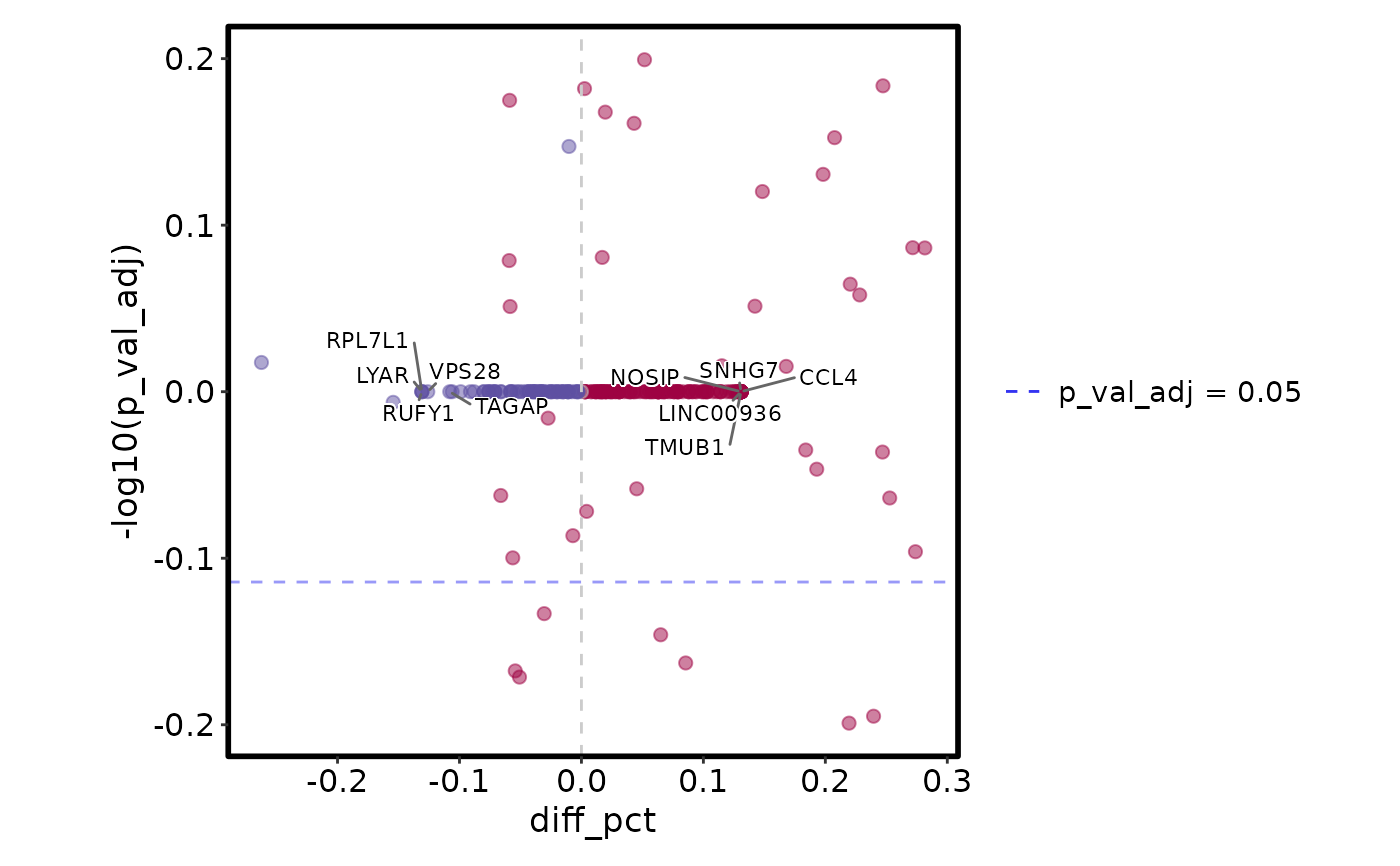
VizDEGs(degs, plot_type = "volcano_pct")
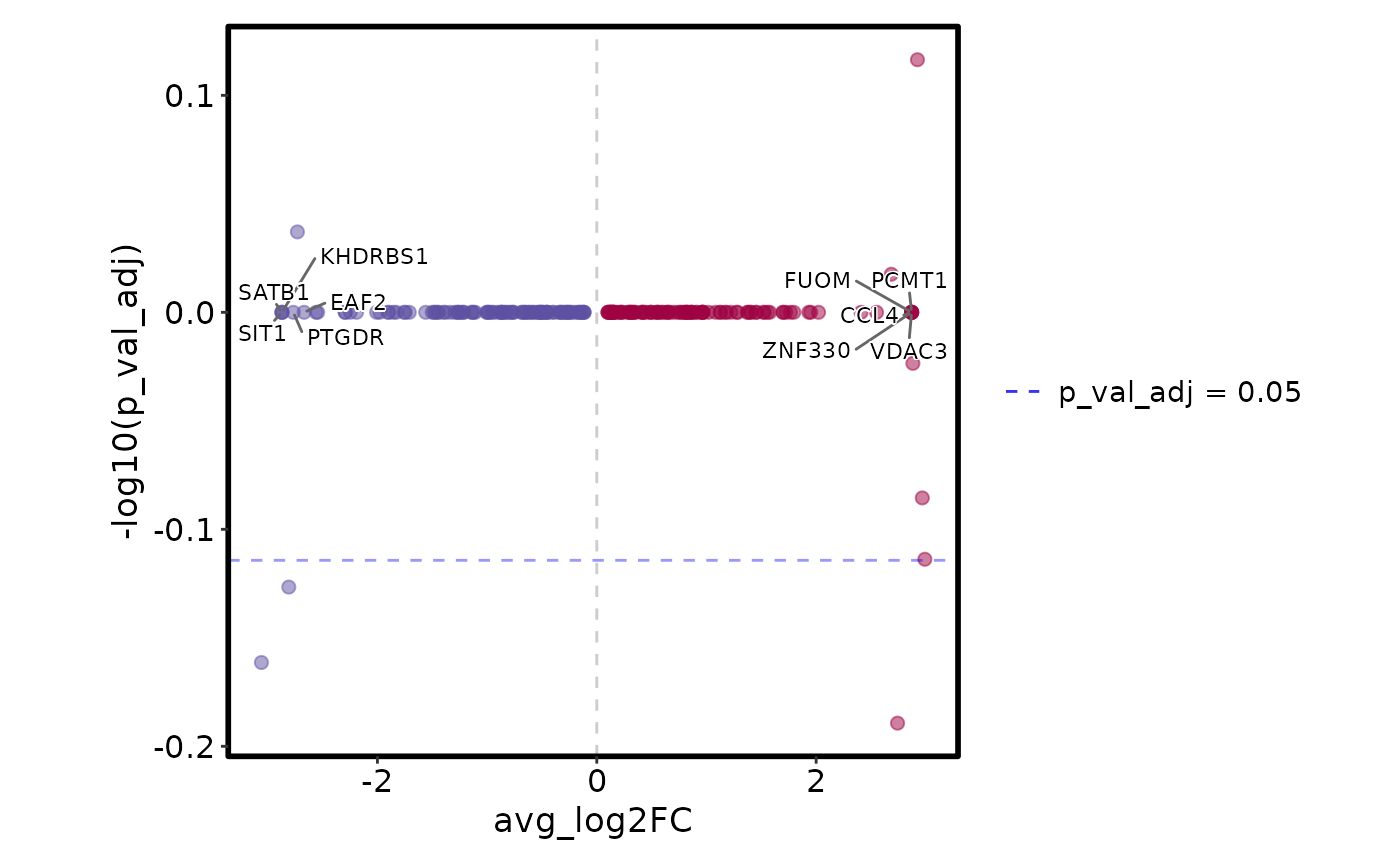
 VizDEGs(degs, plot_type = "volcano_log2fc")
 VizDEGs(degs, plot_type = "jitter_log2fc", each = "SubCellType")
#> Warning: [JitterPlot] `raster` is ignored when `size_by` is mapped to a column; falling back to vector points.
VizDEGs(degs, plot_type = "jitter_log2fc", each = "SubCellType")
#> Warning: [JitterPlot] `raster` is ignored when `size_by` is mapped to a column; falling back to vector points.
 VizDEGs(degs,
plot_type = "heatmap_log2fc", cutoff = 0.05,
select = 5, each = "SubCellType"
)
VizDEGs(degs,
plot_type = "heatmap_log2fc", cutoff = 0.05,
select = 5, each = "SubCellType"
)
 # mimic Seurat's DoHeatmap()
top_degs <- degs[order(degs$avg_log2FC, decreasing = TRUE), ]
Seurat::DoHeatmap(scplotter::pancreas_sub, features = unique(top_degs$gene)[1:10],
slot = "data", group.by = "SubCellType")
# mimic Seurat's DoHeatmap()
top_degs <- degs[order(degs$avg_log2FC, decreasing = TRUE), ]
Seurat::DoHeatmap(scplotter::pancreas_sub, features = unique(top_degs$gene)[1:10],
slot = "data", group.by = "SubCellType")
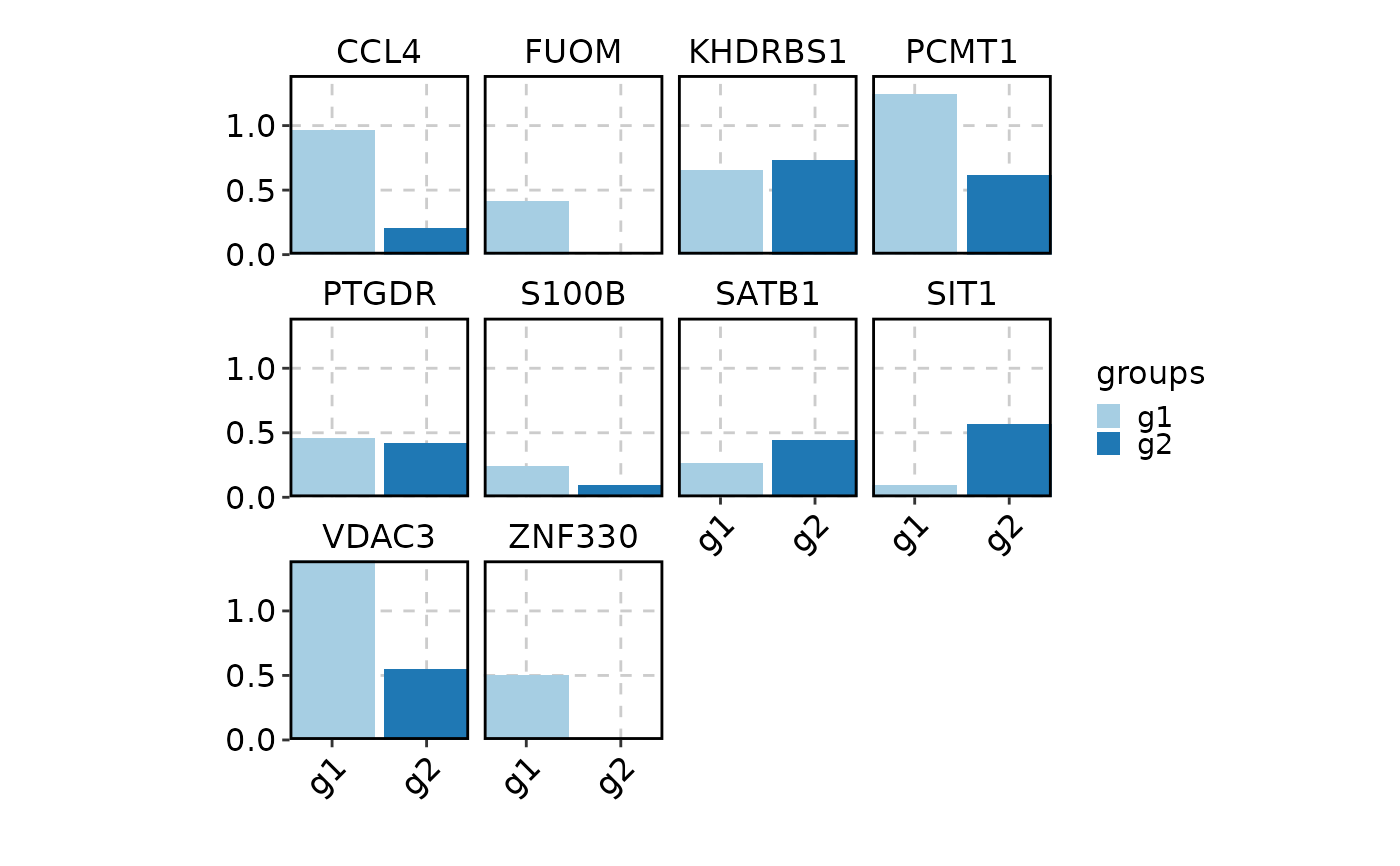 VizDEGs(degs,
object = scplotter::pancreas_sub,
layer = "data", plot_type = "heatmap",
# Make the heatmap cells filled with bars
cell_type = "bars",
# Make sure "select" the top (positive) DEGs by avg_log2FC
order_by = "desc(avg_log2FC)", select = 10,
# Select overall top 10 DEGs for each SubCellType (empty name before :)
# But use the SubCellType for column splits
each = ":SubCellType",
# Column names/title
show_column_names = "inplace", column_names_side = "top", column_title_rot = 45,
column_annotation = list(.column = list(name = FALSE)),
# Row names
row_names_side = "left", row_annotation = list(.row = list(name = FALSE)),
)
#> Warning: Layer counts isn't present in the assay object; returning NULL
VizDEGs(degs,
object = scplotter::pancreas_sub,
layer = "data", plot_type = "heatmap",
# Make the heatmap cells filled with bars
cell_type = "bars",
# Make sure "select" the top (positive) DEGs by avg_log2FC
order_by = "desc(avg_log2FC)", select = 10,
# Select overall top 10 DEGs for each SubCellType (empty name before :)
# But use the SubCellType for column splits
each = ":SubCellType",
# Column names/title
show_column_names = "inplace", column_names_side = "top", column_title_rot = 45,
column_annotation = list(.column = list(name = FALSE)),
# Row names
row_names_side = "left", row_annotation = list(.row = list(name = FALSE)),
)
#> Warning: Layer counts isn't present in the assay object; returning NULL
 # Suppose we did comparison between G2M and S phase in each SubCellType
degs$Phase <- "G2M:S"
VizDEGs(degs,
object = scplotter::pancreas_sub, plot_type = "violin",
position_dodge_preserve = "single",
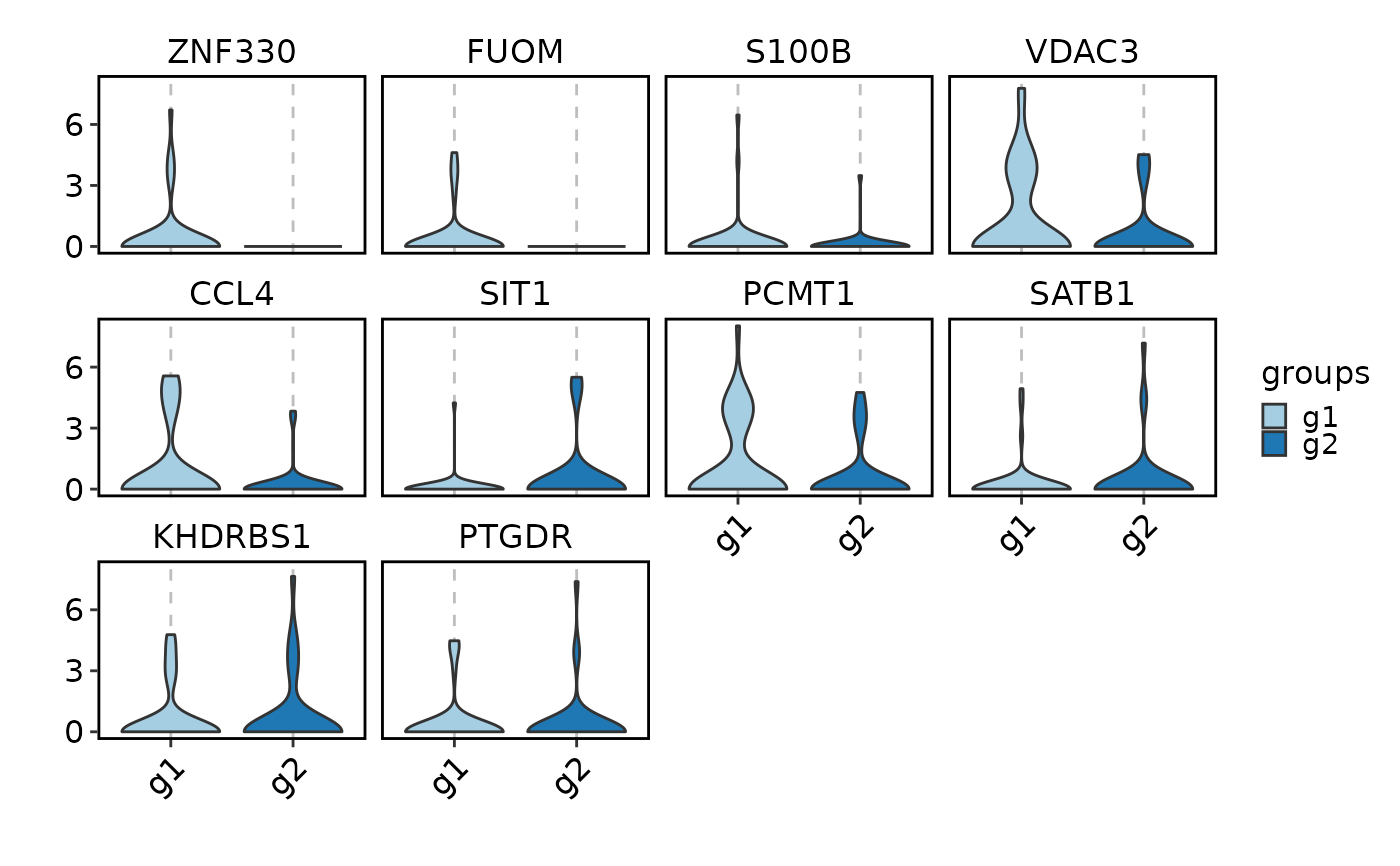
select = 2, group_by = "Phase:Phase", each = "SubCellType:SubCellType"
)
#> Warning: Layer counts isn't present in the assay object; returning NULL
#> Warning: Groups with fewer than two datapoints have been dropped.
#> ℹ Set `drop = FALSE` to consider such groups for position adjustment purposes.
#> Warning: Groups with fewer than two datapoints have been dropped.
#> ℹ Set `drop = FALSE` to consider such groups for position adjustment purposes.
#> Warning: Groups with fewer than two datapoints have been dropped.
#> ℹ Set `drop = FALSE` to consider such groups for position adjustment purposes.
#> Warning: Groups with fewer than two datapoints have been dropped.
#> ℹ Set `drop = FALSE` to consider such groups for position adjustment purposes.
#> Warning: Groups with fewer than two datapoints have been dropped.
#> ℹ Set `drop = FALSE` to consider such groups for position adjustment purposes.
#> Warning: Groups with fewer than two datapoints have been dropped.
#> ℹ Set `drop = FALSE` to consider such groups for position adjustment purposes.
#> Warning: Groups with fewer than two datapoints have been dropped.
#> ℹ Set `drop = FALSE` to consider such groups for position adjustment purposes.
#> Warning: Groups with fewer than two datapoints have been dropped.
#> ℹ Set `drop = FALSE` to consider such groups for position adjustment purposes.
#> Warning: Groups with fewer than two datapoints have been dropped.
#> ℹ Set `drop = FALSE` to consider such groups for position adjustment purposes.
#> Warning: Groups with fewer than two datapoints have been dropped.
#> ℹ Set `drop = FALSE` to consider such groups for position adjustment purposes.
#> Warning: Groups with fewer than two datapoints have been dropped.
#> ℹ Set `drop = FALSE` to consider such groups for position adjustment purposes.
#> Warning: Groups with fewer than two datapoints have been dropped.
#> ℹ Set `drop = FALSE` to consider such groups for position adjustment purposes.
#> Warning: Groups with fewer than two datapoints have been dropped.
#> ℹ Set `drop = FALSE` to consider such groups for position adjustment purposes.
#> Warning: Groups with fewer than two datapoints have been dropped.
#> ℹ Set `drop = FALSE` to consider such groups for position adjustment purposes.
#> Warning: Groups with fewer than two datapoints have been dropped.
#> ℹ Set `drop = FALSE` to consider such groups for position adjustment purposes.
#> Warning: Groups with fewer than two datapoints have been dropped.
#> ℹ Set `drop = FALSE` to consider such groups for position adjustment purposes.
#> Warning: Groups with fewer than two datapoints have been dropped.
#> ℹ Set `drop = FALSE` to consider such groups for position adjustment purposes.
#> Warning: Groups with fewer than two datapoints have been dropped.
#> ℹ Set `drop = FALSE` to consider such groups for position adjustment purposes.
#> Warning: Groups with fewer than two datapoints have been dropped.
#> ℹ Set `drop = FALSE` to consider such groups for position adjustment purposes.
#> Warning: Groups with fewer than two datapoints have been dropped.
#> ℹ Set `drop = FALSE` to consider such groups for position adjustment purposes.
#> Warning: Groups with fewer than two datapoints have been dropped.
#> ℹ Set `drop = FALSE` to consider such groups for position adjustment purposes.
#> Warning: Groups with fewer than two datapoints have been dropped.
#> ℹ Set `drop = FALSE` to consider such groups for position adjustment purposes.
# Suppose we did comparison between G2M and S phase in each SubCellType
degs$Phase <- "G2M:S"
VizDEGs(degs,
object = scplotter::pancreas_sub, plot_type = "violin",
position_dodge_preserve = "single",
select = 2, group_by = "Phase:Phase", each = "SubCellType:SubCellType"
)
#> Warning: Layer counts isn't present in the assay object; returning NULL
#> Warning: Groups with fewer than two datapoints have been dropped.
#> ℹ Set `drop = FALSE` to consider such groups for position adjustment purposes.
#> Warning: Groups with fewer than two datapoints have been dropped.
#> ℹ Set `drop = FALSE` to consider such groups for position adjustment purposes.
#> Warning: Groups with fewer than two datapoints have been dropped.
#> ℹ Set `drop = FALSE` to consider such groups for position adjustment purposes.
#> Warning: Groups with fewer than two datapoints have been dropped.
#> ℹ Set `drop = FALSE` to consider such groups for position adjustment purposes.
#> Warning: Groups with fewer than two datapoints have been dropped.
#> ℹ Set `drop = FALSE` to consider such groups for position adjustment purposes.
#> Warning: Groups with fewer than two datapoints have been dropped.
#> ℹ Set `drop = FALSE` to consider such groups for position adjustment purposes.
#> Warning: Groups with fewer than two datapoints have been dropped.
#> ℹ Set `drop = FALSE` to consider such groups for position adjustment purposes.
#> Warning: Groups with fewer than two datapoints have been dropped.
#> ℹ Set `drop = FALSE` to consider such groups for position adjustment purposes.
#> Warning: Groups with fewer than two datapoints have been dropped.
#> ℹ Set `drop = FALSE` to consider such groups for position adjustment purposes.
#> Warning: Groups with fewer than two datapoints have been dropped.
#> ℹ Set `drop = FALSE` to consider such groups for position adjustment purposes.
#> Warning: Groups with fewer than two datapoints have been dropped.
#> ℹ Set `drop = FALSE` to consider such groups for position adjustment purposes.
#> Warning: Groups with fewer than two datapoints have been dropped.
#> ℹ Set `drop = FALSE` to consider such groups for position adjustment purposes.
#> Warning: Groups with fewer than two datapoints have been dropped.
#> ℹ Set `drop = FALSE` to consider such groups for position adjustment purposes.
#> Warning: Groups with fewer than two datapoints have been dropped.
#> ℹ Set `drop = FALSE` to consider such groups for position adjustment purposes.
#> Warning: Groups with fewer than two datapoints have been dropped.
#> ℹ Set `drop = FALSE` to consider such groups for position adjustment purposes.
#> Warning: Groups with fewer than two datapoints have been dropped.
#> ℹ Set `drop = FALSE` to consider such groups for position adjustment purposes.
#> Warning: Groups with fewer than two datapoints have been dropped.
#> ℹ Set `drop = FALSE` to consider such groups for position adjustment purposes.
#> Warning: Groups with fewer than two datapoints have been dropped.
#> ℹ Set `drop = FALSE` to consider such groups for position adjustment purposes.
#> Warning: Groups with fewer than two datapoints have been dropped.
#> ℹ Set `drop = FALSE` to consider such groups for position adjustment purposes.
#> Warning: Groups with fewer than two datapoints have been dropped.
#> ℹ Set `drop = FALSE` to consider such groups for position adjustment purposes.
#> Warning: Groups with fewer than two datapoints have been dropped.
#> ℹ Set `drop = FALSE` to consider such groups for position adjustment purposes.
#> Warning: Groups with fewer than two datapoints have been dropped.
#> ℹ Set `drop = FALSE` to consider such groups for position adjustment purposes.
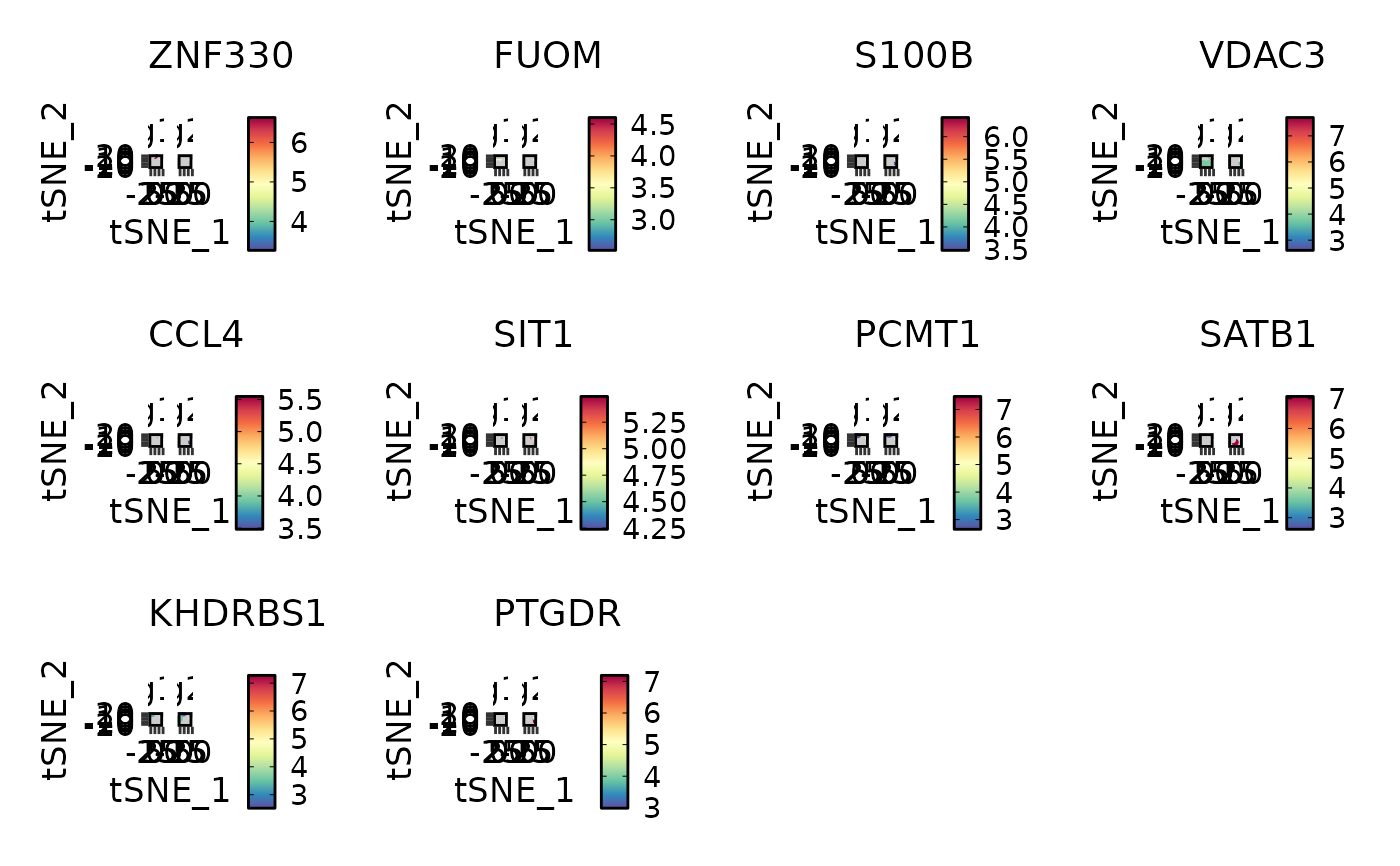 VizDEGs(degs,
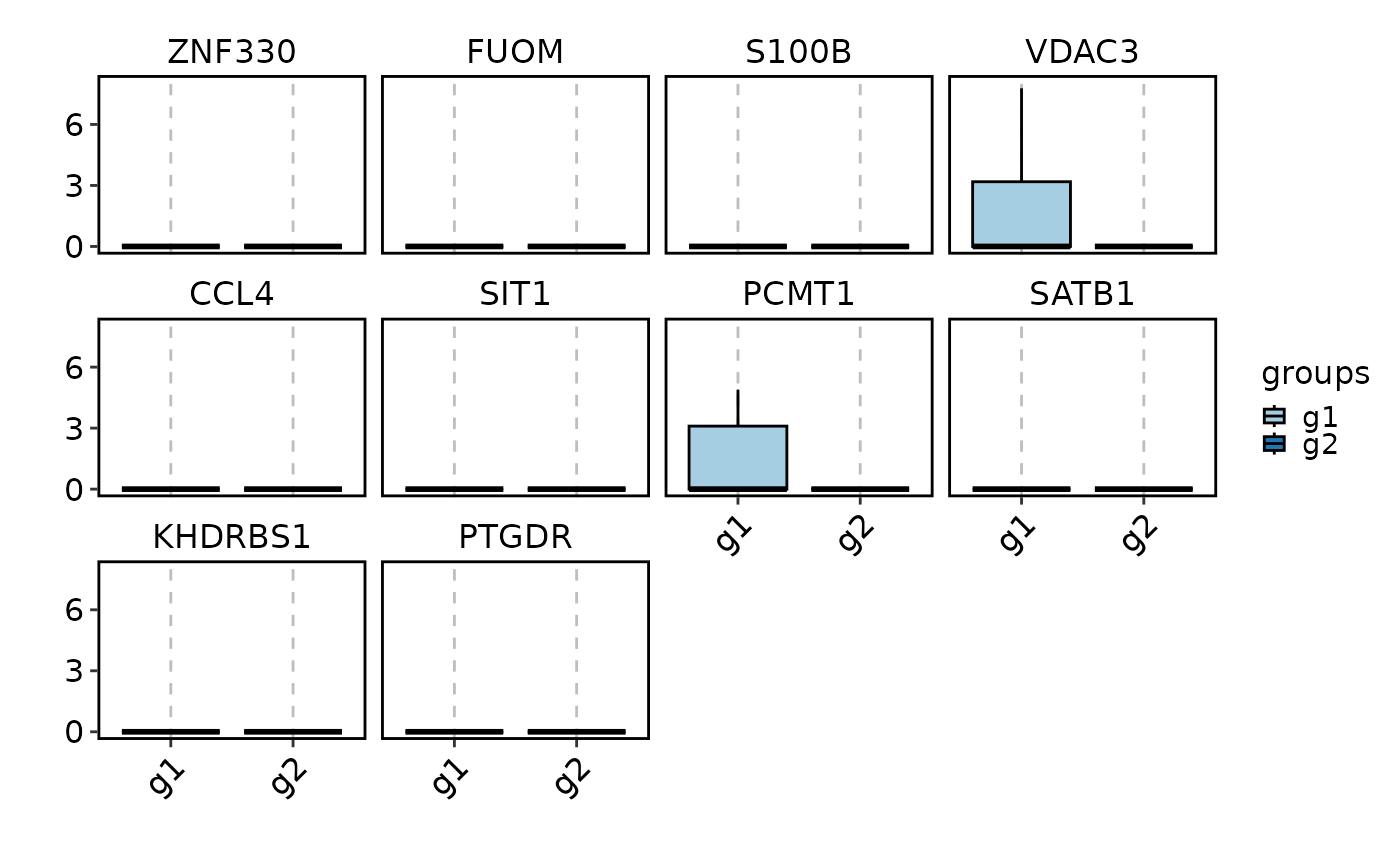
object = scplotter::pancreas_sub, plot_type = "box",
select = 2, group_by = "Phase", each = "SubCellType:SubCellType"
)
#> Warning: Layer counts isn't present in the assay object; returning NULL
VizDEGs(degs,
object = scplotter::pancreas_sub, plot_type = "box",
select = 2, group_by = "Phase", each = "SubCellType:SubCellType"
)
#> Warning: Layer counts isn't present in the assay object; returning NULL
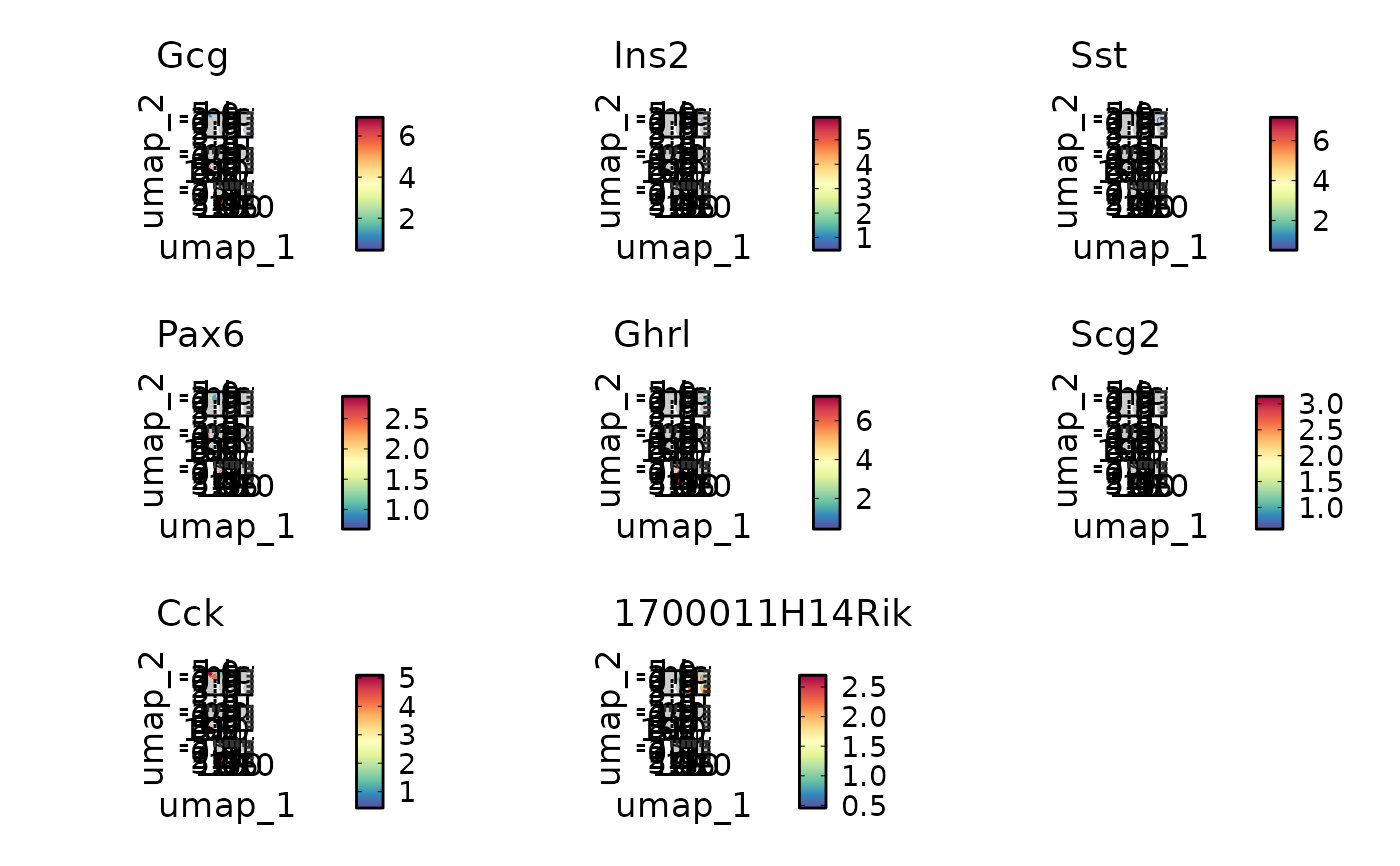 VizDEGs(degs,
object = scplotter::pancreas_sub, plot_type = "bar",
position_dodge_preserve = "single",
select = 2, group_by = "Phase:Phase", each = "SubCellType:SubCellType"
)
#> Warning: Layer counts isn't present in the assay object; returning NULL
VizDEGs(degs,
object = scplotter::pancreas_sub, plot_type = "bar",
position_dodge_preserve = "single",
select = 2, group_by = "Phase:Phase", each = "SubCellType:SubCellType"
)
#> Warning: Layer counts isn't present in the assay object; returning NULL
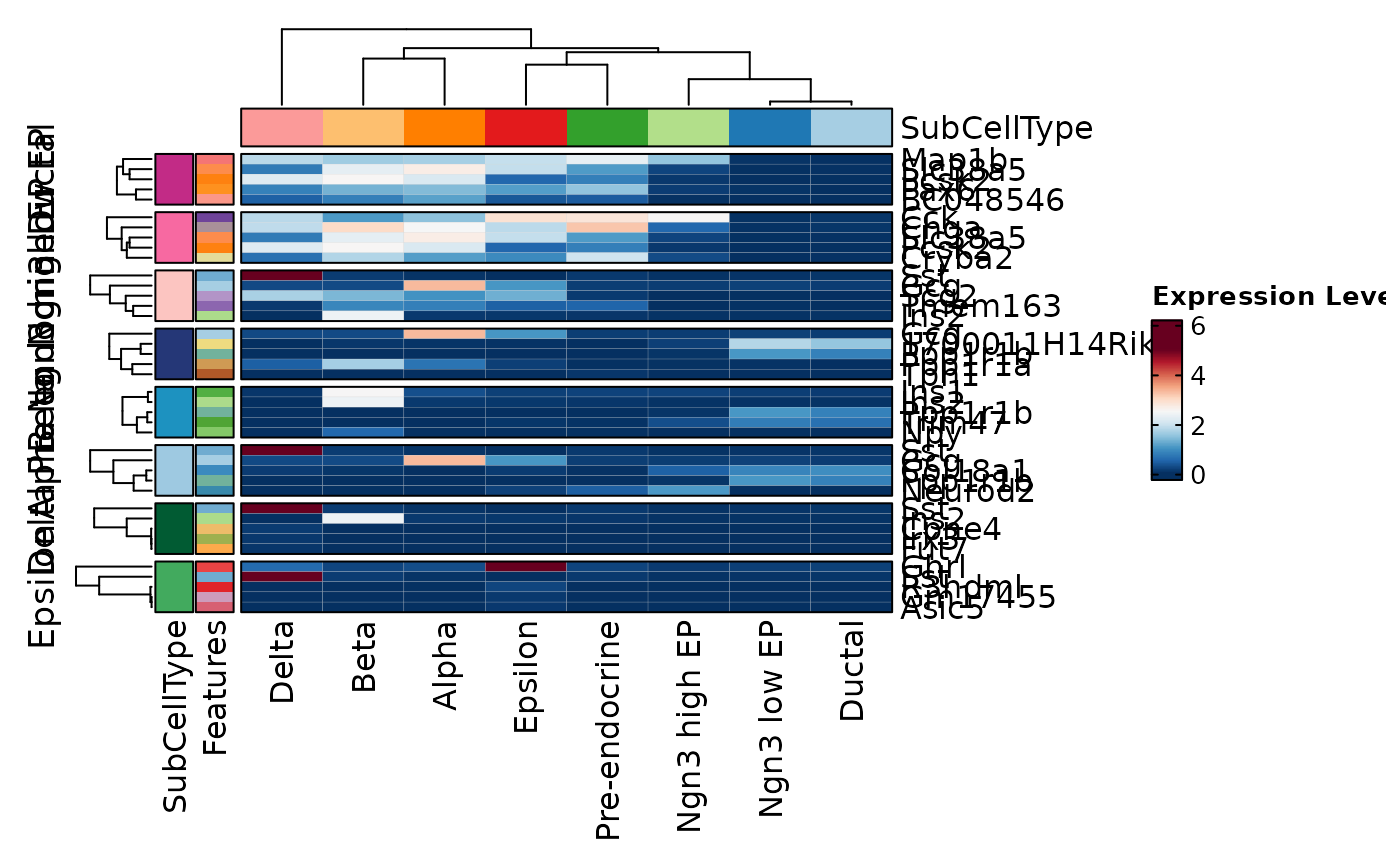 VizDEGs(degs,
object = scplotter::pancreas_sub, plot_type = "ridge",
select = 1, group_by = "Phase:Phase", each = "SubCellType:SubCellType"
)
#> Warning: Layer counts isn't present in the assay object; returning NULL
#> Picking joint bandwidth of 0.107
#> Picking joint bandwidth of 0.14
#> Picking joint bandwidth of 0.488
#> Picking joint bandwidth of 0.312
#> Picking joint bandwidth of 0.119
#> Picking joint bandwidth of 0.305
#> Picking joint bandwidth of 0.285
#> Picking joint bandwidth of 0.174
#> Picking joint bandwidth of 0.412
#> Picking joint bandwidth of 0.137
#> Picking joint bandwidth of 0.576
#> Picking joint bandwidth of 0.378
#> Picking joint bandwidth of 0.776
#> Picking joint bandwidth of 0.382
#> Picking joint bandwidth of 0.348
#> Picking joint bandwidth of 0.31
#> Picking joint bandwidth of 0.0552
#> Picking joint bandwidth of 0.0994
#> Picking joint bandwidth of 0.232
#> Picking joint bandwidth of 0.0465
#> Picking joint bandwidth of 0.221
#> Picking joint bandwidth of 0.212
#> Picking joint bandwidth of 0.265
#> Picking joint bandwidth of 0.102
#> Picking joint bandwidth of 0.783
#> Picking joint bandwidth of 0.783
#> Picking joint bandwidth of 0.27
#> Picking joint bandwidth of 0.783
#> Picking joint bandwidth of 0.119
#> Picking joint bandwidth of 0.783
#> Picking joint bandwidth of 0.783
#> Picking joint bandwidth of 0.27
#> Warning: No shared levels found between `names(values)` of the manual scale and the
#> data's fill values.
#> Picking joint bandwidth of 0.107
#> Picking joint bandwidth of 0.14
#> Picking joint bandwidth of 0.488
#> Picking joint bandwidth of 0.312
#> Picking joint bandwidth of 0.119
#> Picking joint bandwidth of 0.305
#> Picking joint bandwidth of 0.285
#> Picking joint bandwidth of 0.174
#> Picking joint bandwidth of 0.412
#> Picking joint bandwidth of 0.137
#> Picking joint bandwidth of 0.576
#> Picking joint bandwidth of 0.378
#> Picking joint bandwidth of 0.776
#> Picking joint bandwidth of 0.382
#> Picking joint bandwidth of 0.348
#> Picking joint bandwidth of 0.31
#> Picking joint bandwidth of 0.0552
#> Picking joint bandwidth of 0.0994
#> Picking joint bandwidth of 0.232
#> Picking joint bandwidth of 0.0465
#> Picking joint bandwidth of 0.221
#> Picking joint bandwidth of 0.212
#> Picking joint bandwidth of 0.265
#> Picking joint bandwidth of 0.102
#> Picking joint bandwidth of 0.783
#> Picking joint bandwidth of 0.783
#> Picking joint bandwidth of 0.27
#> Picking joint bandwidth of 0.783
#> Picking joint bandwidth of 0.119
#> Picking joint bandwidth of 0.783
#> Picking joint bandwidth of 0.783
#> Picking joint bandwidth of 0.27
#> Warning: No shared levels found between `names(values)` of the manual scale and the
#> data's fill values.
VizDEGs(degs,
object = scplotter::pancreas_sub, plot_type = "ridge",
select = 1, group_by = "Phase:Phase", each = "SubCellType:SubCellType"
)
#> Warning: Layer counts isn't present in the assay object; returning NULL
#> Picking joint bandwidth of 0.107
#> Picking joint bandwidth of 0.14
#> Picking joint bandwidth of 0.488
#> Picking joint bandwidth of 0.312
#> Picking joint bandwidth of 0.119
#> Picking joint bandwidth of 0.305
#> Picking joint bandwidth of 0.285
#> Picking joint bandwidth of 0.174
#> Picking joint bandwidth of 0.412
#> Picking joint bandwidth of 0.137
#> Picking joint bandwidth of 0.576
#> Picking joint bandwidth of 0.378
#> Picking joint bandwidth of 0.776
#> Picking joint bandwidth of 0.382
#> Picking joint bandwidth of 0.348
#> Picking joint bandwidth of 0.31
#> Picking joint bandwidth of 0.0552
#> Picking joint bandwidth of 0.0994
#> Picking joint bandwidth of 0.232
#> Picking joint bandwidth of 0.0465
#> Picking joint bandwidth of 0.221
#> Picking joint bandwidth of 0.212
#> Picking joint bandwidth of 0.265
#> Picking joint bandwidth of 0.102
#> Picking joint bandwidth of 0.783
#> Picking joint bandwidth of 0.783
#> Picking joint bandwidth of 0.27
#> Picking joint bandwidth of 0.783
#> Picking joint bandwidth of 0.119
#> Picking joint bandwidth of 0.783
#> Picking joint bandwidth of 0.783
#> Picking joint bandwidth of 0.27
#> Warning: No shared levels found between `names(values)` of the manual scale and the
#> data's fill values.
#> Picking joint bandwidth of 0.107
#> Picking joint bandwidth of 0.14
#> Picking joint bandwidth of 0.488
#> Picking joint bandwidth of 0.312
#> Picking joint bandwidth of 0.119
#> Picking joint bandwidth of 0.305
#> Picking joint bandwidth of 0.285
#> Picking joint bandwidth of 0.174
#> Picking joint bandwidth of 0.412
#> Picking joint bandwidth of 0.137
#> Picking joint bandwidth of 0.576
#> Picking joint bandwidth of 0.378
#> Picking joint bandwidth of 0.776
#> Picking joint bandwidth of 0.382
#> Picking joint bandwidth of 0.348
#> Picking joint bandwidth of 0.31
#> Picking joint bandwidth of 0.0552
#> Picking joint bandwidth of 0.0994
#> Picking joint bandwidth of 0.232
#> Picking joint bandwidth of 0.0465
#> Picking joint bandwidth of 0.221
#> Picking joint bandwidth of 0.212
#> Picking joint bandwidth of 0.265
#> Picking joint bandwidth of 0.102
#> Picking joint bandwidth of 0.783
#> Picking joint bandwidth of 0.783
#> Picking joint bandwidth of 0.27
#> Picking joint bandwidth of 0.783
#> Picking joint bandwidth of 0.119
#> Picking joint bandwidth of 0.783
#> Picking joint bandwidth of 0.783
#> Picking joint bandwidth of 0.27
#> Warning: No shared levels found between `names(values)` of the manual scale and the
#> data's fill values.
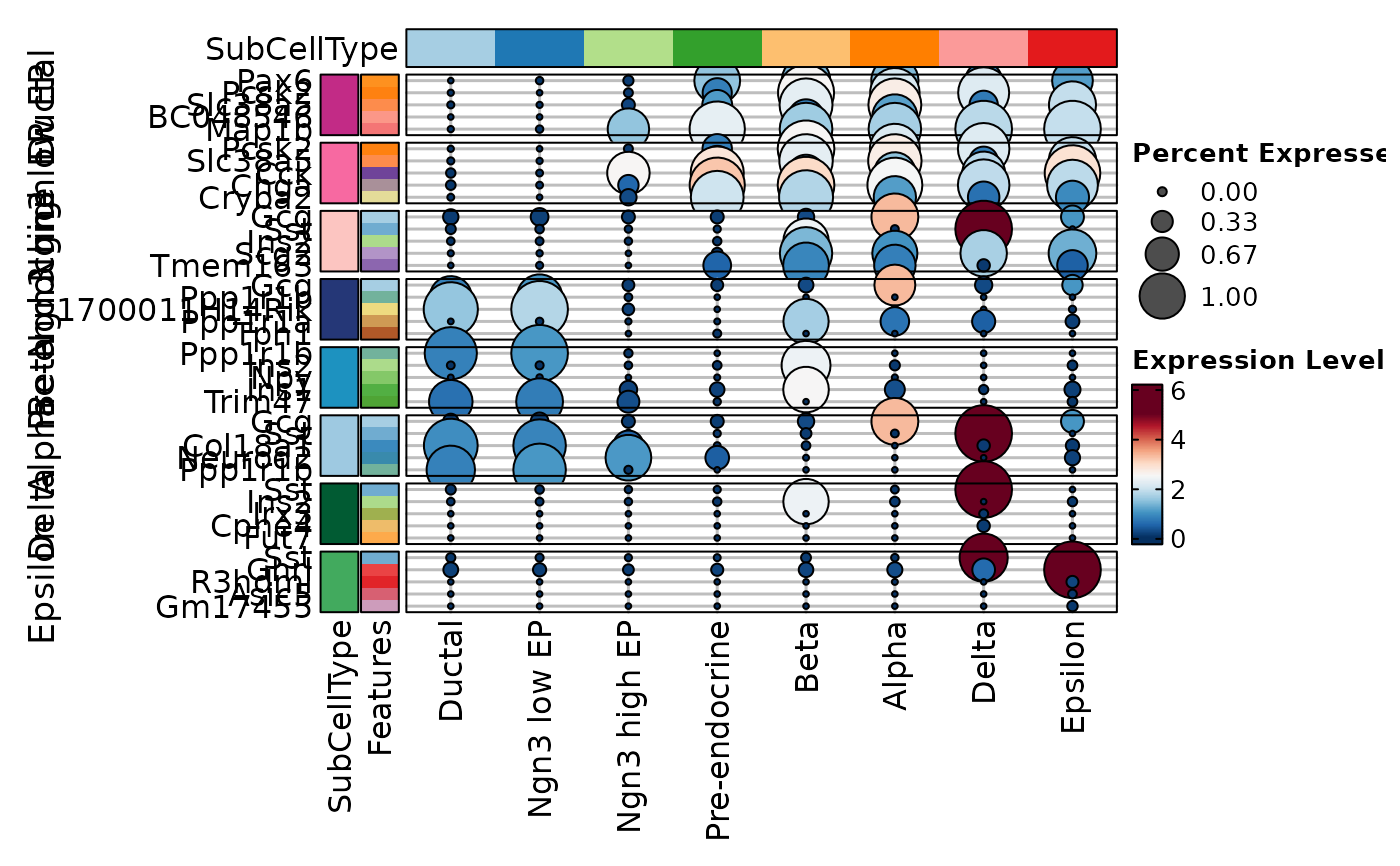 VizDEGs(degs,
object = scplotter::pancreas_sub, plot_type = "heatmap", select = 3,
cluster_columns = FALSE, group_by = "Phase:Phase", each = "SubCellType:SubCellType"
)
#> Warning: Layer counts isn't present in the assay object; returning NULL
VizDEGs(degs,
object = scplotter::pancreas_sub, plot_type = "heatmap", select = 3,
cluster_columns = FALSE, group_by = "Phase:Phase", each = "SubCellType:SubCellType"
)
#> Warning: Layer counts isn't present in the assay object; returning NULL
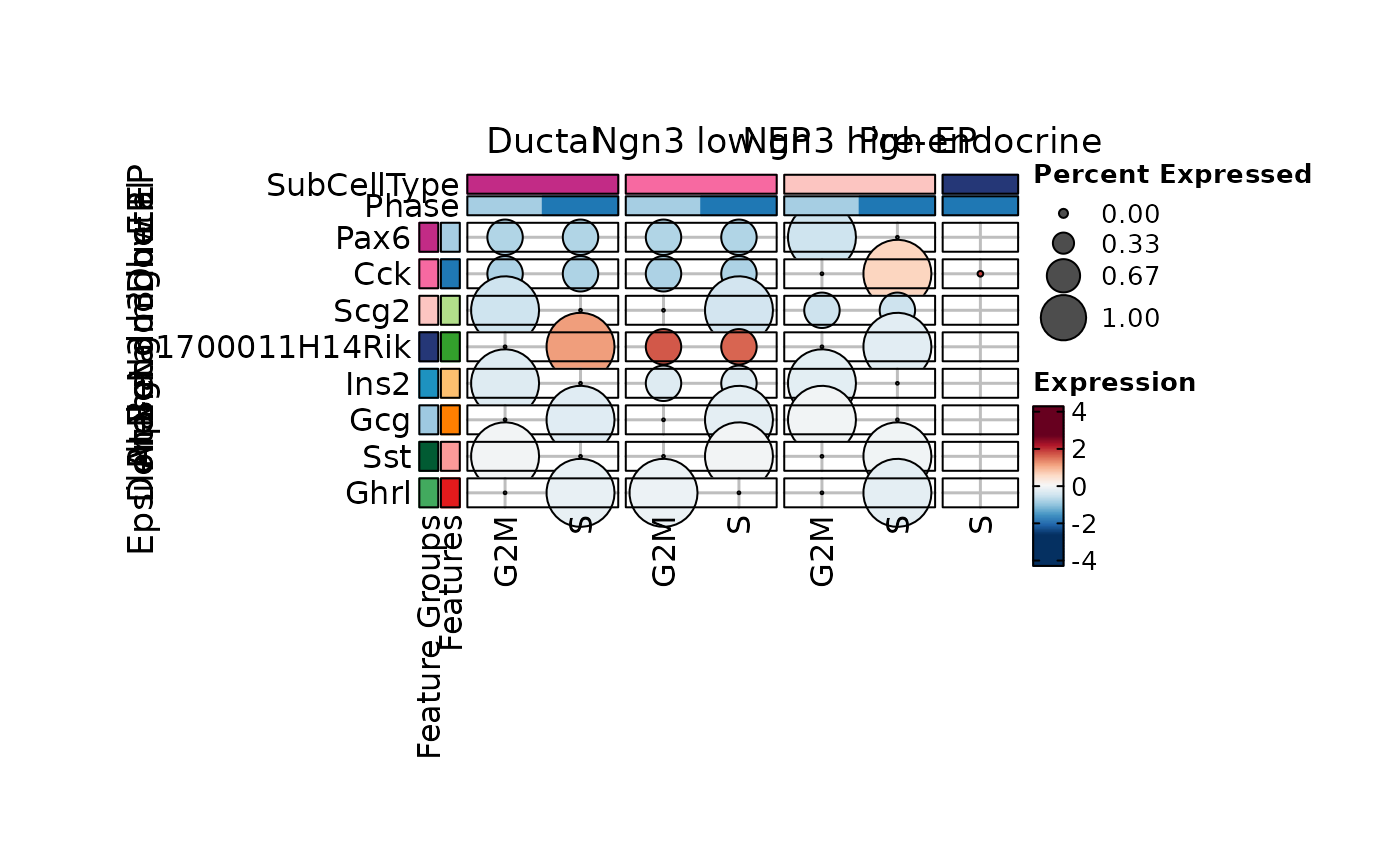
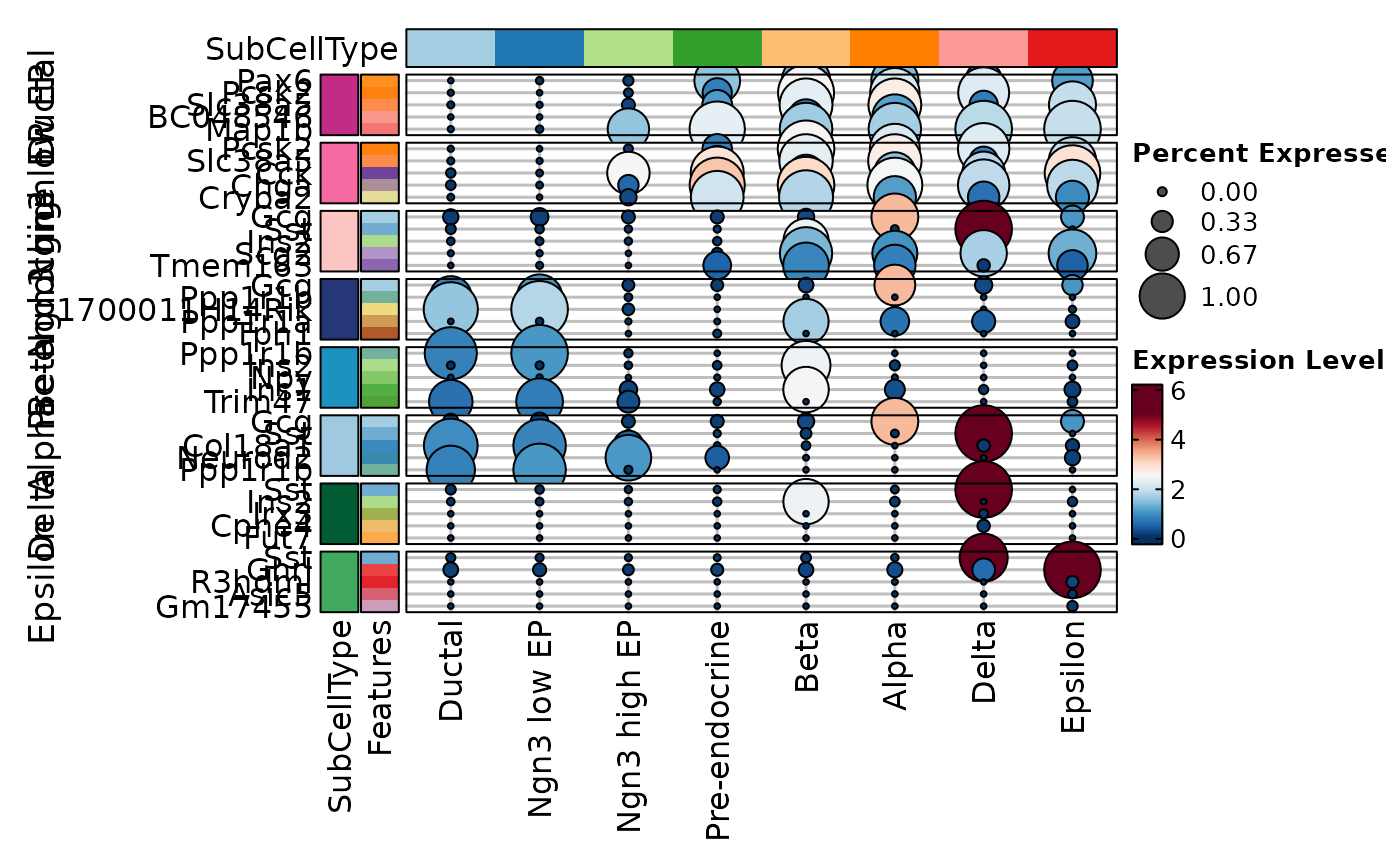 VizDEGs(degs,
object = scplotter::pancreas_sub, plot_type = "dot",
select = 1, group_by = "Phase:Phase", each = "SubCellType:SubCellType"
)
#> Warning: Layer counts isn't present in the assay object; returning NULL
VizDEGs(degs,
object = scplotter::pancreas_sub, plot_type = "dot",
select = 1, group_by = "Phase:Phase", each = "SubCellType:SubCellType"
)
#> Warning: Layer counts isn't present in the assay object; returning NULL
 # }
# }